

Shopping Cart
0 item
New Customers
By creating an account with our store, you will be able to move through the checkout process faster, store multiple shipping addresses, view and track your orders in your account and more.









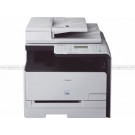

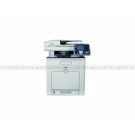

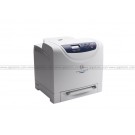
| General Specifications | |
| Multifunction Type | Monochrome Laser Print, Copy, ColourScan, Fax, Auto Duplex, Network-ready |
| Fixing Method | On-Demand Fixing SURF Technology |
| Standard Interface & Connectivity | USB & Network (Ethernet 10Base-T / 100Base-TX) |
| Driver Utility (CD ROM) | UFRII LT Printer Driver, Fax Driver, MF Toolbox |
| Dimension Main Unit (W x D x H) | 450 x 472 x 464mm |
| Weight (Main Unit including Cartridge) | 20.6kg |
| Power Source | AC220 - 240V, 50 - 60Hz |
| Device Consumption Capacity | |
| Toner Cartridge Type | All-in-One (Black) |
| Model | Cartridge 320 |
| Yield | 5000 pages (bundled 2300 pages) |
| Durability (Monthly Duty Cycle) | up to 20,000 pages |
| Print Volume (Monthly Usage) | 2000 - 5000 pages per month |
| Paper Handling | |
| Auto Document Feeder | 50-sheet (Duplex ADF) |
| Document Size | Up to LGL (ADF / Platen) |
| Paper input capacity | 500-sheet paper cassette 50-sheet Multipurpose Tray (bypass) |
| Optional Paper cassette | Cassette Feeding Unit-U1 (500-sheet) |
| Paper Output | 150 sheets (face down) |
| Paper Weight | 60 ~ 120g/m2(cassette) 60 ~ 190g/m2(multipurpose tray) |
| PDL | UFRII LT |
| Print Speed | Up to 30ppm (A4) |
| Print Resolution | 600 x 600dpi 1200 x 600dpi (smoothing) |
| Auto Duplex Print | Yes |
| First Print Output Time (FPOT) | Approx. 8secs. |
| Print Memory | 128MB (shared) |
| Print Output Size | Up to LGL (including Custom Sizes) |
| Others | Page Composer, Booklet Print, Poster Print, Watermarks, Toner Save |
| Copy | |
| Type | Monochrome Laser |
| Copy Speed | Up to 30cpm (A4) |
| Copy Resolution | 600 x 600dpi |
| Halftones | 256 level |
| Auto Duplex Copy | Yes with Duplex Scanning (1:2, 2:2, 2:1) |
| First Copy Output Time (FCOT) | Approx. 8secs |
| Copy Memory | 128MB (shared) |
| Zoom | 50% ~ 200% in 1% increments |
| Copy Size | Up to LGL (ADF / Platen) |
| Others | ID Card Copy, Electronic Sort, Toner Save mode, 2-sided, 2-on-1 combination, Reserved Copy |
| Scan | |
| Scanning Element | Colour CIS |
| Scanning Resolution | 600 x 1200dpi (optical) 9600 x 9600dpi (interpolated) |
| Colour Depth | 24 bits |
| Document Size | Up to LGL (ADF / platen) |
| Fax | |
| Modem Speed | 33.6Kbps, Super-G3 (Approx. 3secs./page) |
| Fax Resolution | Standard, Fine, Super Fine, Ultra Fine (up to 409 x 391dpi) |
| Compression Modes | MH, MR, MMR, JBIG |
| Fax Memory Capacity | 512 pages |
| Fax-memory backup | Yes (up to 15mins.) |
| Address Book / Speed Dial | 19 one-touch, 180 coded dials, 198 group dials |
| SequentialBroadcasting | 200 locations |
| Delayed Transmission | Yes (1 pre-set time) |
| Receive Mode | FAX Only, Manual, Answering DRPD,Fax / Tel Auto SW |
| Remote Reception | Yes (default ID: 25) |
| Other Fax ReceivingFeatures | Memory Lock reception, Auto Reception Reduction, ECM |
| Dual Access | Yes (up to 70 reservation) |
| Auto Double-sidedFaxing | Yes (sending & receiving) |
| Report / List | Activity & Rx / Tx Report (up to 40 transactions/page), Non-delivery report |
| PC-Fax | Sending (Fax Driver) |
| Networking & Management Utility | |
| Network Interface | Ethernet |
| Network Type | 10Base-T / 100Base-TX |
You have no items in your shopping cart.





| Get To Know Us | QQeStore.Com | Let Us Help You | Connect With Us |
| Why Shop With Us | Retail Outlets | Privacy Policy |


|
| How to Order? | Pick Up and Payment Center | Terms and Conditions | |
| Wholesaler Inquiries | Shipment Delivery | Contact Us | |
| Bank Financing | Warranty and Return | Corporate, Institute & Government | |
| SMART Rewards | Sizing Info | ||
| International Orders | Match-The-Price | ||
| FAQ | We Are Hiring | ||
| Knowledge Base |
 Designated trademarks and brands are the property of their respective owners.












